Siteimp Watch - Property dashboard
The property dashboard shows the current state of one monitored property. It includes status, target counts, scheduling information, notification routing, target management, and property-level actions.
Siteimp is a local-first Windows application for inspecting website structure, content, performance, accessibility, links, images, and monitoring evidence.
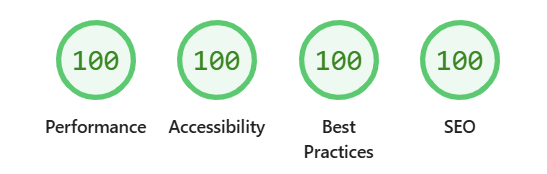
Siteimp helps you inspect a website as a whole system, not just as a pile of disconnected pages. Run scans, review page-level evidence, inspect links and images, check accessibility and best practices, and use the results to decide what deserves attention next.
The application runs locally on Windows, so it fits naturally into development, consulting, QA, support, and content workflows where you need evidence you can review, explain, and act on.
Siteimp scans websites and turns the results into practical evidence: what was discovered, what changed, what broke, what looks healthy, and where deeper review may be worthwhile.
Crawl a website, collect page evidence, and review results at both the scan level and the page level. Siteimp helps you see patterns that are hard to notice when you only test one URL at a time.
Siteimp surfaces practical information about links, images, headings, accessibility, Lighthouse results, page structure, and scan behavior so you can make decisions from evidence instead of guessing.
Use monitoring to keep an eye on important websites and targets over time. Siteimp is built for the quiet regressions too: the things that drift, break, slow down, or change when nobody is watching.
Siteimp includes practical support material for the screens and workflows built directly into the app. These articles explain what each page is for, what you can do there, and how the pieces fit together.
The property dashboard shows the current state of one monitored property. It includes status, target counts, scheduling information, notification routing, target management, and property-level actions.
The Settings page controls the defaults Watch uses when new properties and targets are created. It also manages reusable notification destinations and gives you local-only support log tools for troubleshooting.
The target details page shows the status and check history for one monitored URL. It includes timing, failures, latest response data, recent check rows, and read-only notification routing inherited from the property.
Siteimp resources go deeper than button-by-button help. They explain the thinking behind website integrity, content structure, monitoring, images, accessibility, and the evidence Siteimp collects.
Compliance means meeting a defined set of requirements, while usability is about how easily people can use what you build. Accessibility standards connect the two. This article explores how accessibility practices can improve software beyond compliance, why testing with assistive technology matters, and how user personas can make accessibility testing more meaningful.
Accessibility standards can be intimidating, especially when you start digging through WCAG versions, conformance levels and success criteria. But before getting buried in the details, it's worth understanding the four principles that hold everything together: Perceivable, Operable, Understandable and Robust.
Accessibility is a long-term practice, not a one-time checklist. These ten practical habits can help developers build websites and applications that work better for more people: learn one screen reader, use semantic HTML, support keyboard navigation, write clear headings and links, label forms properly, provide alternatives for media, and avoid treating overlays or ARIA as shortcuts.
The blog follows the product as it changes: release notes, design decisions, development stories, and the occasional hard-earned lesson from building a local-first website integrity application.
There have been some critical security issues reported over the last week and two of them impact some major components within Siteimp. I fixed one with a rebuild then read about the new node release so had to build and test again. However, two brand new beta builds are now available and all beta testers have been emailed the link to the new installer.
Siteimp Watch has reached another small milestone: the first in-app support documents are now online, including help for monitoring, properties, targets, settings, notifications, and local support logs.
A small robots.txt feature turned into a much larger question about crawler safety, ownership, abuse and what happens when a useful tool becomes useful to the wrong person.
Siteimp includes local monitoring for important websites and targets. You can configure ping checks, fetch checks, or both, then review response status, response time, final URLs, errors, alerts, and recoveries from inside the application.
The same monitoring module is also being prepared as Siteimp Watch , a focused standalone Windows uptime monitor for people who only need local monitoring. It can watch public websites, private apps, staging environments, local-network targets, and other web-accessible services your computer can reach.
Siteimp is the full website integrity application. Siteimp Watch is the monitoring piece by itself. Both are local-first, both support structured support requests, and both can route alerts and recoveries through your own Slack or Discord destinations using Formimp.
Siteimp is built as a desktop application for Windows. It is meant for people who want to run scans when they need them, keep results close to their own workflow, and inspect evidence without turning every website check into another hosted service.
That makes it useful for developers, consultants, agencies, technical site owners, and anyone who needs to understand what is happening across a website before deciding what to fix. And the best part? You buy it once and only once because subscription based software sucks and we're sick of it.
Siteimp is intentionally evidence-first. It collects information about pages, links, images, headings, accessibility, performance, best practices, monitoring targets, and support context so the next step is easier to reason about.
It's not about telling you how to fix your website or what to do. Rather, the goal is to show enough useful structure that you can understand the site, prioritize changes, create tickets (or create evidence to show a generative AI the problem) and explain your decisions clearly.
Siteimp has moved from an older reporting system into a new desktop application. The beta release focuses on practical website inspection, monitoring, support, and evidence you can use without turning every check into a subscription.
If you only need local monitoring, explore Siteimp Watch . It is the same monitoring idea in a focused standalone Windows app.
Explore Siteimp Support